Protect patient data from the click that exposes it.
Healthcare staff work fast, often on shared devices, with suppliers they can’t always verify. SafeToOpen checks every page and email as it opens and warns before a password or a patient’s details are given away.
Healthcare breaches, in numbers
How SafeToOpen helps
One layer in the browser and the inbox, with nothing new for clinical staff to learn.
Fake sign-in pages
Lures dressed as IT, insurers or suppliers lead to cloned Microsoft 365 and portal sign-ins. VisionAI recognises the impersonation from the page itself, even when the site is hours old.
Patient details in the wrong place
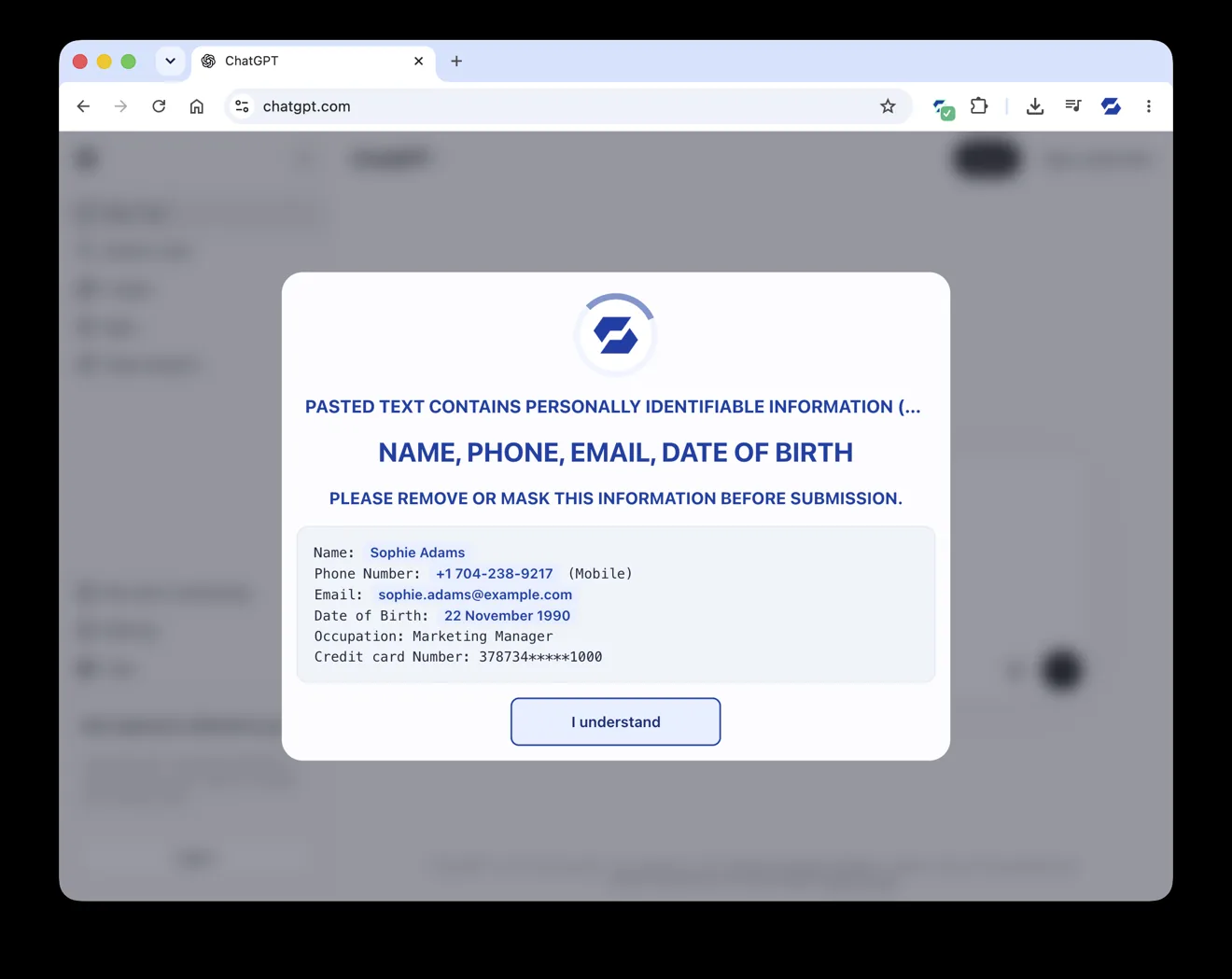
Paste Guard warns the moment names, ID numbers or other personal details are pasted, typed or uploaded into a website or AI tool, before anything is sent.
Supplier and invoice emails
One click in Outlook or Gmail runs up to 71 checks on the sender, links, QR codes and attachments, and gives a plain answer with the reasons.
Awareness you can measure
Scam Check tests how your people handle real scam techniques across email, text, phone and QR codes, and shows you where the gaps are.
Checked, not just claimed
Read more
Phishing by industry: who gets targeted
Finance, healthcare, legal, education, retail: what attackers want from each, and why costs vary.
Read it → How-toHow to spot a fake login page
Practical signs that a login page isn't what it claims to be.
Read it → Business“We have MFA.” Is that enough?
MFA blocks 99% of password attacks, but modern phishing steals the session token after you pass it. Why MFA alone no longer stops phishing.
Read it →Questions, answered
No. SafeToOpen never collects, stores or sells browsing data. It processes only the minimum needed to confirm a threat and deletes it after analysis. Paste Guard detects payment-card data on the device itself.
Browser Security Business Plus is installed on every computer from one place by your administrator. Email Security is added from the Microsoft 365 admin centre or the Google Workspace Marketplace in under five minutes, with no mail-flow changes.
No. It works alongside them. They block what is already known to be bad; SafeToOpen judges the page or email itself at the click, so brand-new phishing is caught too.
For healthcare teams
See it on a fake sign-in page
Tell us a little about your organisation and we’ll show you SafeToOpen in the browser and the inbox.
- We reply by email to find a time that suits you.
- We only use your details to reply to your request.
- Prefer to start on your own? Start a free trial →