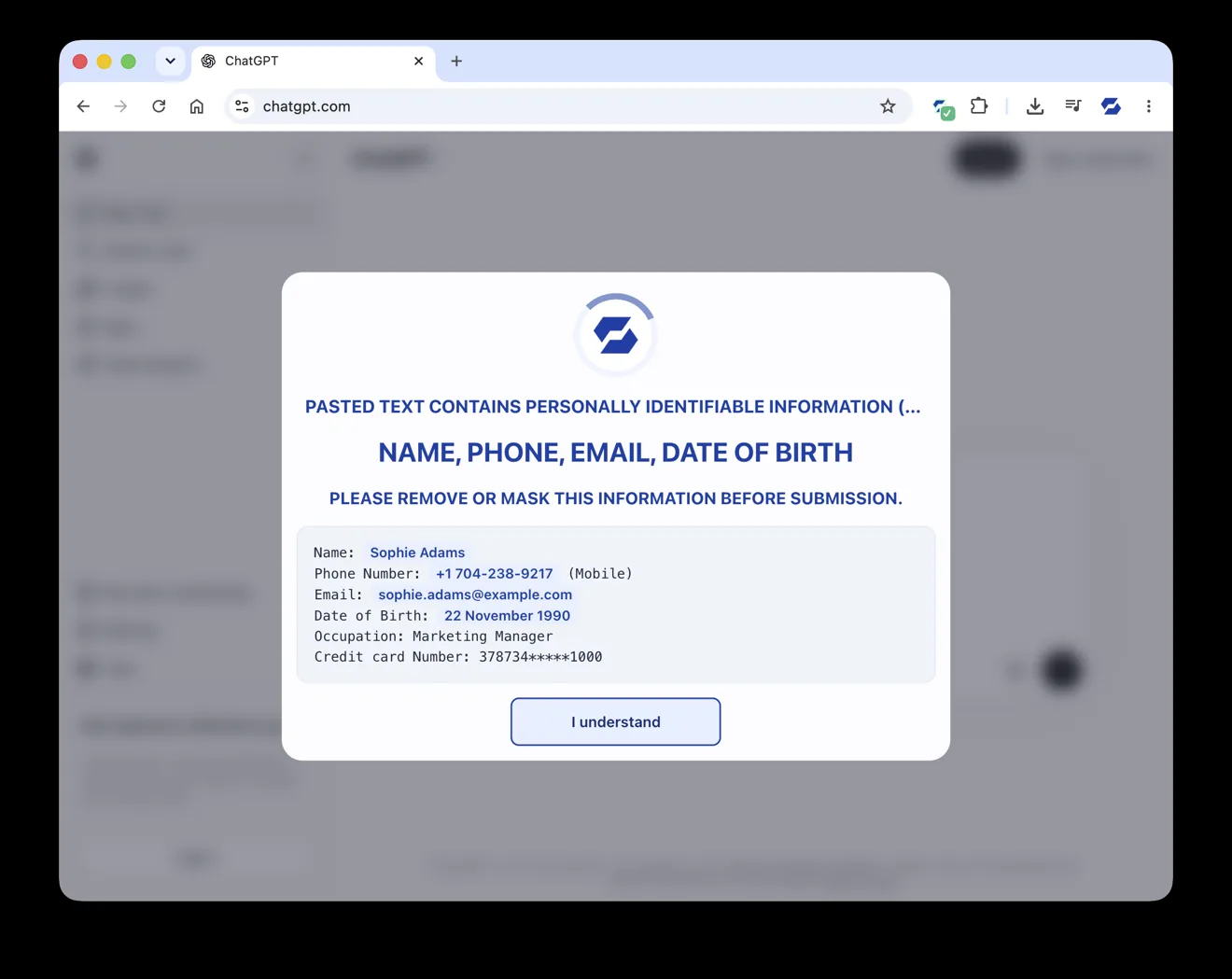
Paste Guard catching personal details — a phone number, email and date of birth — before they’re sent to an AI chatbot.
Paste Guard is part of SafeToOpen Browser Security & Privacy. It watches the moment people paste, type or upload information into a website — and steps in before personal or payment data is exposed. On any site, not just the bad ones.
Paste Guard catching personal details — a phone number, email and date of birth — before they’re sent to an AI chatbot.
A card number dropped into a chat box. Client details pasted into a personal email. A spreadsheet uploaded to a free converter. Sensitive text typed into an AI assistant. No attacker required — just a normal person, moving fast, on a perfectly ordinary website.
Paste Guard acts at the point of interaction — the instant data is pasted, typed or uploaded — so it’s caught before it ever leaves the browser.
Not just the paste action. Uploading a document or submitting a web form is protected the same way, across the sites your team actually uses.
Fewer accidental disclosures of PII and PCI data means lower exposure to data-protection penalties and costly incidents.
SafeToOpen recognises the kinds of sensitive information people paste or type without thinking — and flags it before it’s sent.
Detection of payment-card data happens locally, on your device.
When you paste credit-card details into a website, SafeToOpen detects them and masks the sensitive digits with asterisks — and the card number never leaves your device to do it.
Switch on PII protection in the extension and SafeToOpen identifies emails, phone numbers, addresses and more, alerting you if sensitive information is about to be shared where it shouldn’t be.
You’re notified the moment PCI or PII data is detected — including on suspicious or unverified sites — so you can stop and think before you submit.
Rather than a silent block, SafeToOpen highlights exactly what needs review — turning a risky habit into a teachable moment, every time.
The riskiest place to paste sensitive text today is often a legitimate site. Paste Guard detects PII in content pasted or uploaded into generative-AI platforms like ChatGPT or DeepSeek, into web forms, and into file uploads — the everyday surfaces where confidential data quietly walks out the door.
Across desktop browsers, Edge and Firefox on Android, and Safari on macOS, iPhone and iPad.
Detects PII in text pasted or uploaded into Gen-AI tools such as ChatGPT and DeepSeek.
For organisations, detection can run against a SafeToOpen service inside your own private network, tuned to your risk profile.
Card data never leaves your device — redaction happens locally. For PII detection, content is analysed in real time but never stored or sold. Strong protection shouldn’t mean handing your data to the tool meant to guard it.
1. Add the SafeToOpen browser extension.
2. Turn on Paste Guard from the popup’s Privacy tab.
3. Paste a test card number into any website and watch it get masked.
It monitors when you paste, type or upload information into web pages. When it recognises payment-card or personal data — especially on an unverified site — it masks or alerts in real time, at the point of interaction.
No. Payment-card detection happens locally and never leaves your device. PII content is analysed in real time for detection but is not stored or sold. For organisations, that analysis can run inside your own private network.
Yes. SafeToOpen alerts you when you’re about to submit sensitive information to a potentially malicious or lookalike site — such as a fake login or impersonation page. See Browser Security for how zero-day pages are caught.
Card redaction works automatically. PII detection is a single toggle in the extension’s Privacy tab — no technical setup for the end user.
Yes. SafeToOpen can recognise organisation-specific patterns and region-specific identifiers for more accurate, relevant protection. For teams, see SafeToOpen for business.
Paste Guard makes it simple to detect and redact personal and payment information in real time — giving you the confidence to work, paste and upload without leaking what matters.