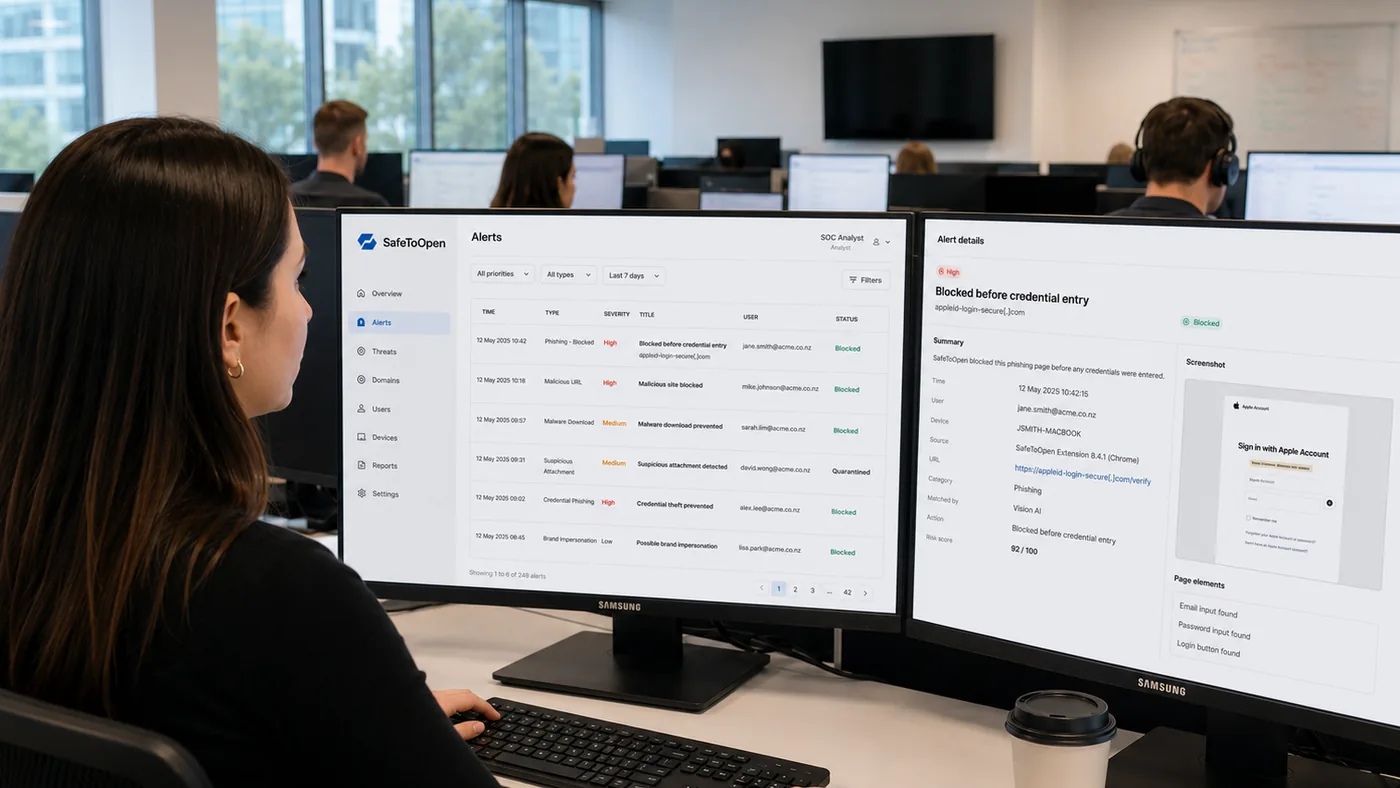
You’ve seen how one wrong click ends. SafeToOpen protects your customers’ clicks with zero-day detection their Defender-and-DNS stack doesn’t have, deployed per client in under 30 minutes from one multi-tenant console. When something does get through, one confirm blocks the URL in that client’s Umbrella, Zscaler, Defender or firewall, signs the user out and pages your on-call: seconds from verdict to containment, not a ticket waiting for the next shift.
Add SafeToOpen's full protection layer to your security offering — deploy any or all of it per client, managed from one multi-tenant console.
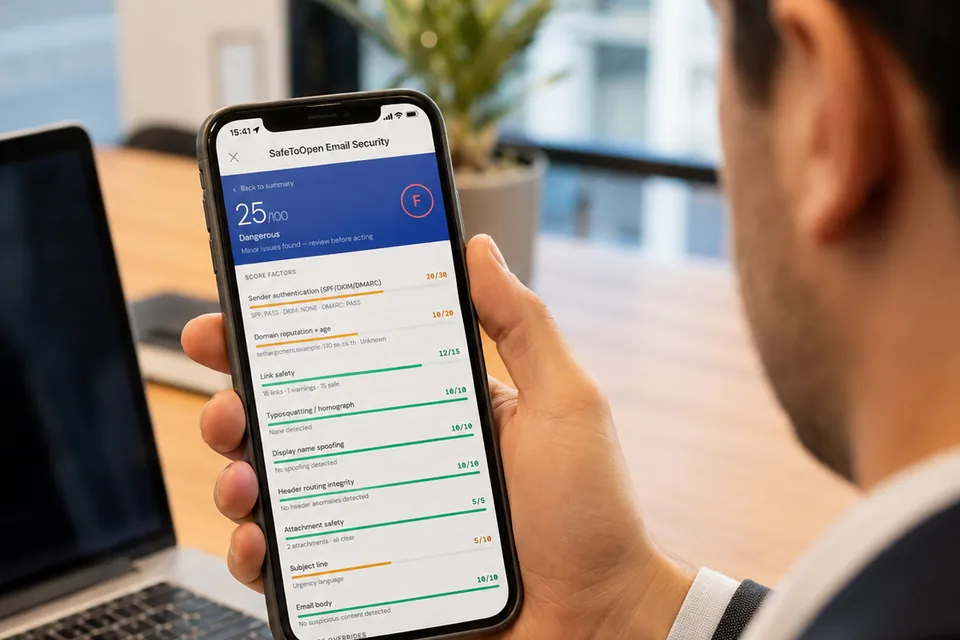
Protects the inbox
One-click verification of suspicious mail in Outlook & Gmail, with up to 71 checks per email and Deeper Analysis for targeted attacks.
Details
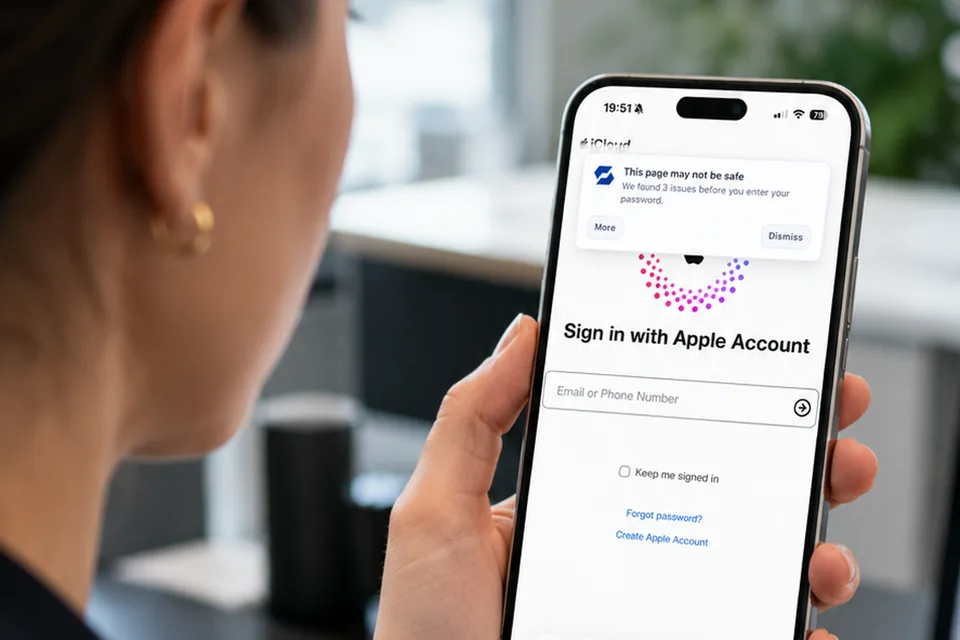
Protects the browser
Real-time zero-day phishing detection, malware & malicious-site blocking, and sensitive-data guardrails. Works on desktop and mobile alike, including Microsoft Edge on Android — installed and registered the same way as on desktop.
Details
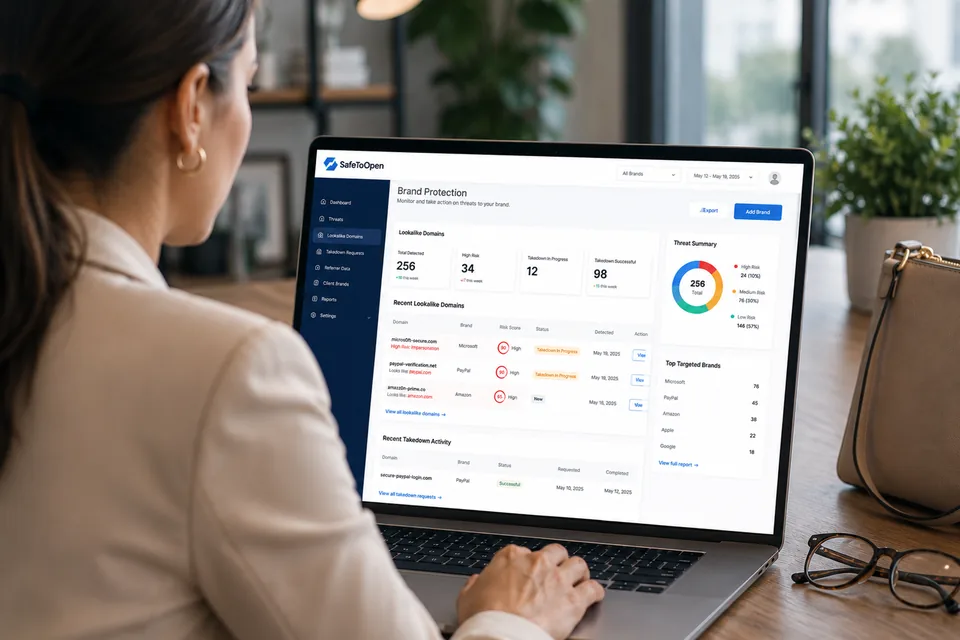
Protects clients' customers
Detects sites and emails impersonating your clients' brands and reports them for fast blocking.
Details

Embeds in your tools
Bring the same detection engine into your own platforms, portals and automated workflows.
DetailsAll managed from one multi-tenant console, with threat feeds and reporting. For the SOC-side detail — workspaces per client, least-privilege analyst access, SIEM and ticketing integrations — read the Browser Security capabilities & data-protection overview →. For every connector, feed and MDM tool, see Integrations & automated response →. Become a partner →
Scam Check is a per-campaign assessment you can run for any client and white-label end to end — your name, your logo and your colours from the invitation through to the result screen. It gives you a per-person score to put in a QBR, a baseline to re-measure against once you have deployed, and evidence for the conversation about what to buy next. Because it is paid once per campaign rather than per seat, it prices like an engagement instead of another line on the monthly bill.
Onboard and manage all your clients from a single console, with per-tenant policies and visibility.
Point SafeToOpen at URLhaus, OpenPhish, PhishTank, MISP, your TAXII server or any vendor list, and every URL in it is blocked in each client workspace within minutes. Feed entries stay yours and are never shared with SafeToOpen.
Show clients the threats you blocked — clear reporting that demonstrates the value you deliver.
Most managed-security tooling only stops threats once they’re already known. SafeToOpen detects zero-day, never-before-seen phishing as it appears — with a cloud-managed console and instant alerts that make enterprise-grade protection scalable across every client.
Zero-day phishing sites are identified the moment they appear — before they reach your clients' users, not after someone else reports them.
Stops staff submitting passwords, payment details or sensitive information to suspicious sites — and alerts your team instantly, with clear context to respond.
Confirmed phishing URLs are blocked across billions of protected devices in under an hour — every client benefits from every detection.
Tailor warnings, security messages and branding per client environment, so protection looks and sounds like the service you deliver.
Track unsafe clicks and submissions per tenant — spot training needs, evidence compliance goals, and show the risk you're removing.
Give every client enterprise-grade phishing defence without the cost of building an in-house security team.
SafeToOpen shifts phishing defence from post-click incident response to pre-click prevention — the difference between investigating a compromise and confirming that one never happened.

SafeToOpen doesn’t replace your SOC tooling — it removes the most frequent class of incident from it. EDR investigates what ran; SafeToOpen prevents the credential theft that lets it run.
Your clients already run a DNS filter, an endpoint agent, a mail gateway and an identity provider. SafeToOpen gives them the verdict those tools cannot produce, then hands it to them: one confirm in the console, in Slack or in Teams, and every configured action runs at once.
Your clients’ staff are already pasting customer data into personal ChatGPT. Name the tools each client sanctions, warn on or block the rest, and put the AI usage report on the table at every QBR.
The attacks that get past your clients’ MFA are the ones your stack cannot see. Browser Security stops them in the browser and gives you the inventory of every app a client’s staff sign in to without SSO.

Prevented incidents are invisible — which makes security the easiest line item for a client to question. SafeToOpen turns prevention into evidence: client-ready reports showing threats blocked, users protected and domains checked, per client, per period.
Walk into every quarterly review with proof the service worked — not just a list of tickets closed. It’s the difference between defending your invoice and renewing it.
Talk to us about MSP reportingSafeToOpen protects organizations where phishing, scams and data loss carry the greatest cost.
Protects against credential theft, account takeovers and the fraudulent websites that target customers.
Keeps patient information safe and helps organizations meet strict privacy requirements.
Secures online payments and defends against impersonation sites that target customers.
Protects sensitive communications and data from phishing and social-engineering attacks.
Proactive protection for institutions frequently targeted by phishing and identity-based attacks.
Proof your clients’ reviewers can check
Yes. The console is multi-tenant — each client is managed separately with its own policies and reporting.
Through the tools you already use. Both products deploy as managed browser extensions via Microsoft Intune, Group Policy or your RMM, with identity from Microsoft Entra ID (Azure AD) or Google Workspace. No MX changes, no mail-flow redirection, no agent on the endpoint.
Both directions. Browser Security ingests the feeds you already licence (URLhaus, ThreatFox, OpenPhish, PhishTank, MISP, any TAXII 2.1 server or STIX bundle, Recorded Future, Proofpoint ET Intelligence, or any plain-text, CSV or JSON list) and blocks every URL in each client workspace on a schedule from 15 minutes to weekly. Entries are never shared with SafeToOpen. Hostile URLs confirmed in a client are also published back as STIX 2.1 or a TAXII collection for your SIEM and MISP.
Yes. Response actions push a confirmed incident into each client’s own stack: Cisco Umbrella, Zscaler, Netskope, Cloudflare Zero Trust, Microsoft Defender for Endpoint, CrowdStrike, SentinelOne, Sophos, Trend Vision One, Microsoft 365, Mimecast, Proofpoint TRAP, Harmony Email, Cisco ETD, Barracuda, FortiMail, Entra ID, Okta, Google Workspace, Slack, Teams, PagerDuty and Opsgenie, plus a hosted blocklist for firewalls. Actions run on one confirm or automatically above a severity you set, and reversible ones can be undone. See Integrations & automated response.
Yes — SafeToOpen supports MSP delivery models. Contact us to discuss SLAs and partnership options.
Unlike generic managed-service tooling, SafeToOpen works directly in the browser and inbox. It detects never-before-seen phishing sites, stops unsafe data submissions, and gives your team immediate alerts with context.
Yes. Warnings, security messages and branding can be tailored for each client environment, so the experience matches the service you deliver.
Yes, per client workspace. Each AI platform edition is sanctioned, tolerated or unsanctioned; tolerated tools show the client's own message, unsanctioned ones warn or block, and Paste Guard refuses pastes, prompts and uploads carrying personal information on them. The AI usage report shows who uses which tools, for how long, and what was refused, and exports to CSV for the client's auditor. See Shadow AI governance.
Yes, per client workspace. The ClickFix guard neutralises pages that trick staff into running a command and sends you the payload; the OAuth consent guard warns on or blocks unapproved apps asking for lasting mailbox or files access; Password Alert catches the client's work password typed into a proxy phishing kit or a personal site; and the Password logins report gives you the list of apps each client's staff use without SSO, ready for the next QBR. See the guards.
ISO/IEC 27001:2022 certified, independently pen-tested, Your clients’ content stays theirs: SafeToOpen never reads or stores form values, passwords, keystrokes or files, and internal domains can be excluded from analysis entirely. Deployment is configurable to your policy. The full due-diligence set — Statement of Applicability, pen-test summary, CAIQ, sub-processors, SLA — lives in our Trust Center, and you’re welcome to hand it straight to your clients’ reviewers. Visit the Trust Center →
Start free, or book a walkthrough tailored to your environment.