VisionAI is trained to detect phishing that impersonates brands like these — and tens of thousands more.








One wrong click is all it takes. SafeToOpen stops scam pages and malicious emails at the moment of the click — before money, passwords or data leave your hands. And it never collects your browsing data.
This page looks like live.com, but you’re on payrolltooling.com. Be careful with passwords or payment details.
VisionAI is trained to detect phishing that impersonates brands like these — and tens of thousands more.
The same real-time detection engine — shaped for your home or your organization.
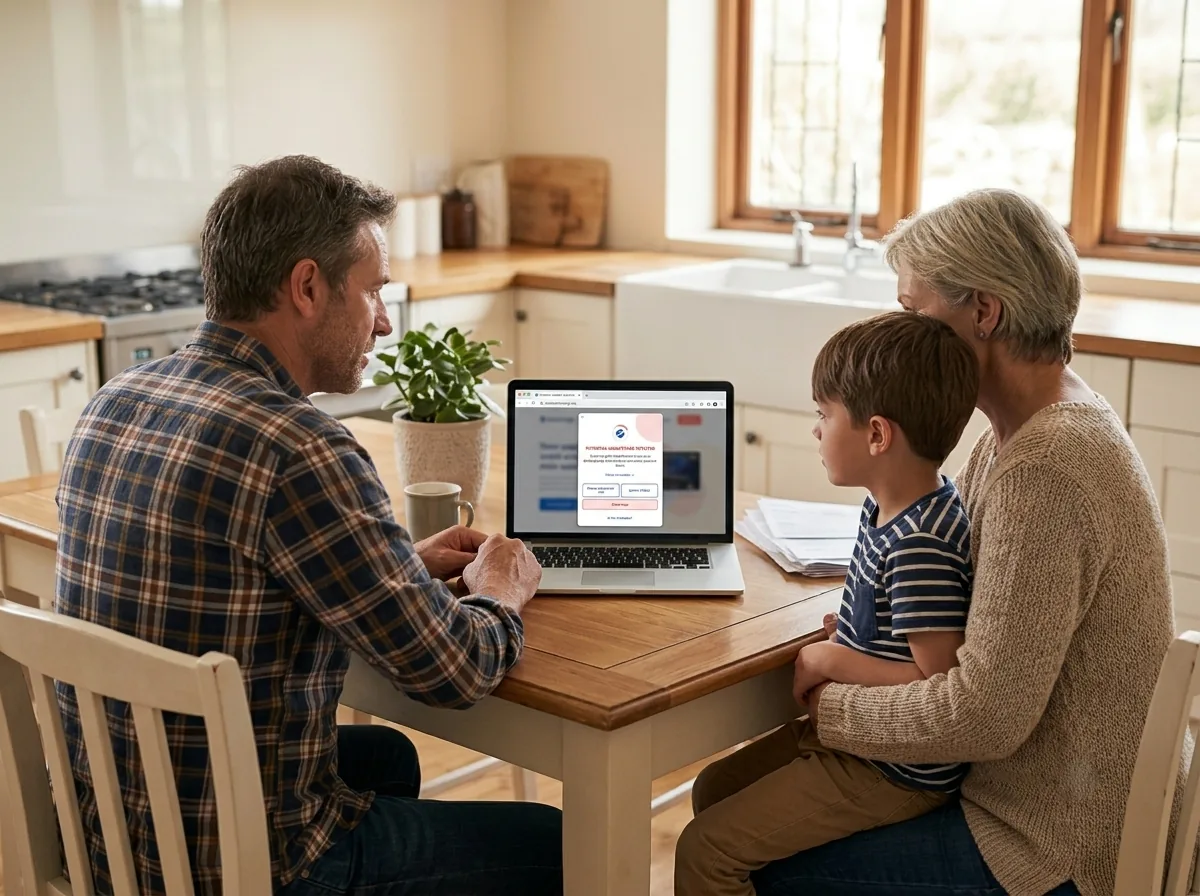
Free browser protection on your devices. Upgrade to Individual or Family Plus for email security and cover for everyone at home.

Microsoft protects the inbox. SafeToOpen protects the click. Protect employees, customers and your brand at scale — small and medium business, MSPs, enterprise and government, with central management and mixed Plus + Executive seats.
Every unknown page is judged on what it actually is — not whether someone reported it first.
A risky page or email is analysed the instant you reach it — before you enter anything.
VisionAI — our detection engine that reads a page the way a person would — recognises a scam by how it looks and behaves, so even brand-new attacks are caught.
You get a clear warning before any data is entered or a file is opened. Threat handled.
Most people and businesses already have security tools — and assume they're covered. But each guards a different door, and none of them watches the one that matters most: the page itself, at the moment you're about to trust it.
Antivirus hunts malicious files; a phishing page drops none. MFA protects your password — but modern scams steal the session after you pass it. Neither judges the fake page in front of you.
Filters catch what's already been reported. A phishing site spun up an hour ago is on no blocklist yet — and that first hour is when most victims are caught.
It judges the actual page and email in real time, at the point of click — catching the zero-day scam the rest of your stack can't see. It works alongside what you already have.
Keep your antivirus, MFA and spam filter — they all matter. SafeToOpen adds the one layer they leave open.
The same detection wherever a threat reaches you — your pages, your inbox and your brand — plus a way to measure the one thing software can’t catch: your people.
Automatically scans risky pages to detect phishing or scams — and protects your privacy at the same time.
Verify a suspicious email in seconds, with a clear trust score before you act on it.
Detects sites impersonating your brand and alerts your security team and partners before customers are exposed.
Find out who on your team would fall for a scam — before an attacker finds out for you.
We'd rather show evidence than make claims. Here's where SafeToOpen is checked by others.
SafeToOpen is a recognised vendor on VirusTotal, contributing and validating phishing detections.
VERIFIED →Rated across thousands of installs by people who run the extension every day.
READ REVIEWS →No browsing data collected, stored, or sold. Analysis logs deleted after each check. ISO/IEC 27001:2022 certified.
PRIVACY PROMISE →Traditional filters wait for a threat to be reported. SafeToOpen judges it the moment it appears.
| Capability | SafeToOpen | Traditional filters & antivirus |
|---|---|---|
| Catches never-before-seen (zero-day) phishing | ||
| Analyses the page itself, not just a list of known dangerous sites | ||
| Protects at the point of click, in the browser | Partial | |
| Verifies email in Outlook & Gmail | Partial | |
| No browsing data collected or sold | ||
| Free browser plan for personal use, no sign-up |
"I have had this loaded on my computer for quite some time now and am completely satisfied with the performance on a daily basis and in unusual circumstances. I would and have recommended this security service since I found out about it and will continue to into the future. Thank you for protecting my computer and all the information and activity within it."
"Great product as I've tried using other anti-phishing products. This one is by far the best I've found, so much so I've also installed it on other family computers.. It effectively identifies phishing links and alerts promptly if there's an abnormality. 10/10 recommend!"
"It's really easy to use, which is a huge plus in my book. The folks who made this thing seriously know their stuff, and I would totally recommend it to anyone who wants to feel secure when they're browsing the web."
★ 4.9 on the Chrome Web Store — Read all reviews
'Zero-day' is the industry term for a scam page so new that no warning list has seen it yet. Instead of waiting for someone to report it, SafeToOpen analyses each risky page as it loads and recognises a scam by how it looks and behaves — so brand-new attacks are blocked in seconds.
No. SafeToOpen never collects, stores, or sells your browsing data. It also blocks known trackers from collecting it, keeps your searches private, and deletes analysis logs after each check.
The browser extension has a free plan for personal use with no sign-up — it blocks known phishing, scam and malware sites. Catching brand-new (zero-day) scams, Paste Guard and email security are on the paid Plus and Executive plans.
SafeToOpen works in Chrome, Edge, Safari, Firefox and on iOS, and protects email in both Microsoft Outlook and Gmail.
Traditional tools rely on lists of known-bad URLs and files, so they miss brand-new attacks. SafeToOpen analyses the page or email itself at the moment of risk, catching threats that have never been seen before — and it works alongside your existing antivirus and filters.
Guides and threat insights from the SafeToOpen team.
The red flags that give away a phishing email — and the checks that catch the rest.
READ GUIDE →Why "never-before-seen" attacks slip past traditional filters, explained simply.
READ GUIDE →A calm, step-by-step guide to limiting the damage in the next few minutes.
READ GUIDE →Most people can’t. Take our 2-minute “spot the fake” test — 12 real-world messages and pages — then learn the tells.
Running a business? Send the same kind of test to your whole team →
Your package is on hold. A redelivery fee of $1.99 is required: parcel-redeliver.info/pay
That was the warm-up. 12 more are waiting.
Add SafeToOpen to your browser — free, no sign-up. Upgrade for email security and family or team cover whenever you need it.