Protect client funds and client confidences.
Law, accounting and advisory firms move client money and hold confidential files, which makes them a favourite for payment-redirection fraud and credential theft. SafeToOpen checks the email and the page before anyone pays or signs in.
Payment fraud, in numbers
How SafeToOpen helps
One click on the email, and a check on every page your people open.
Payment redirection
New bank details from a client or supplier often pass authentication. SafeToOpen shows what doesn’t add up, such as replies that go elsewhere or a domain that is days old.
Fake shared-document and sign-in pages
A “document shared with you” link that leads to a cloned sign-in is recognised from the page itself, and the warning appears before a password is typed.
Client data in AI tools
Paste Guard warns before client details are pasted into a website or AI tool, and you decide which AI tools people may use at all.
Report and remove
One click sends a suspicious email to your security team or IT provider and takes it out of the inbox: to Junk in Outlook, to Spam in Gmail.
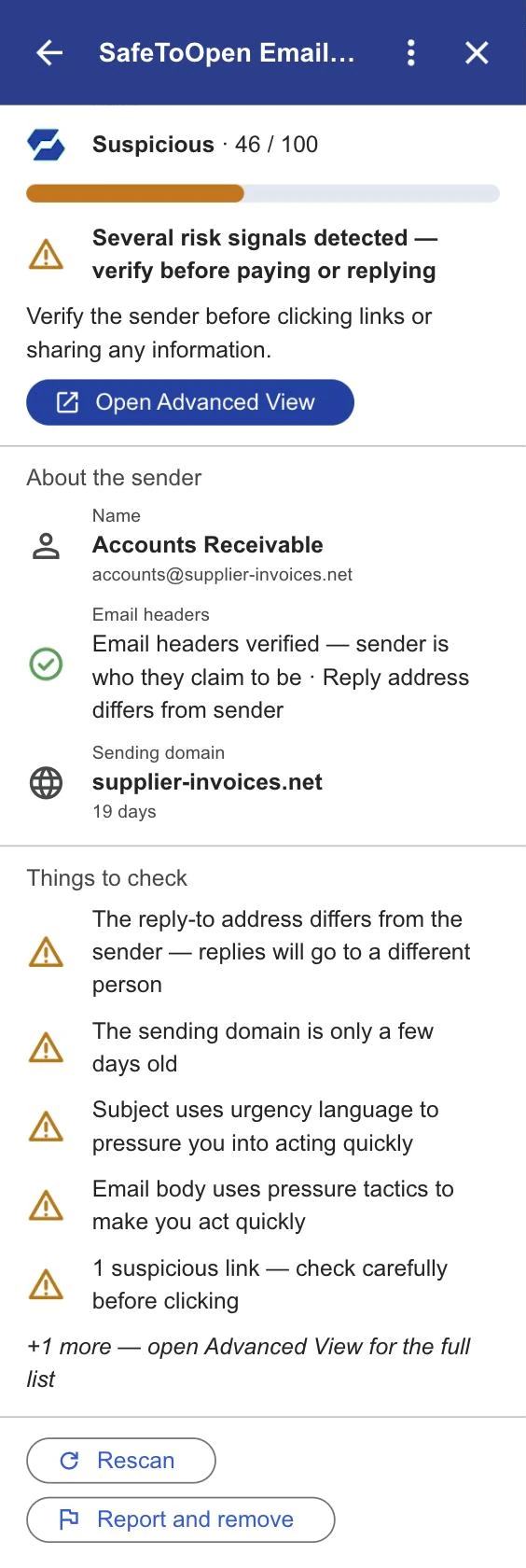
Checked, not just claimed
Read more
Business email compromise, explained
How BEC attacks work and how to defend high-value targets.
Read it → EmailIs this email a scam? A 60-second check
Five quick checks to judge any suspicious email in under a minute.
Read it → BusinessPhishing by industry: who gets targeted
Finance, healthcare, legal, education, retail: what attackers want from each, and why costs vary.
Read it →Questions, answered
No. Any Microsoft 365 admin can add Email Security from the admin centre, and any Google Workspace admin from the Workspace Marketplace. Both take under five minutes, with no mail-flow changes and no infrastructure.
It checks the email you open: the sender, links, QR codes and attachments. Deeper Analysis, on Executive seats, reads the text of a risky email only when you press “Run deeper analysis” and agree, and the email isn’t stored or used for training.
No. It works alongside your existing spam filter and antivirus. They rely on lists of known-bad senders; SafeToOpen analyses the message and its links and attachments directly, catching never-before-seen phishing they miss.
For firms
See it on a payment-redirection email
Tell us a little about your firm and we’ll show you Email Security in Outlook and Gmail.
- We reply by email to find a time that suits you.
- We only use your details to reply to your request.
- Prefer to start on your own? Start a free trial →