Stop the fake sign-in page and the fake payment request.
Banks, lenders, insurers and payment firms are phished for credentials and money movement, and cloned to defraud their customers. SafeToOpen protects your people at the click and helps you find the fakes wearing your name.
Financial fraud, in numbers
How SafeToOpen helps
Your people at the click, and your customers beyond your perimeter.
Payment requests that pass authentication
An overdue invoice with new bank details, or a payment request posing as a director. SafeToOpen shows what doesn’t add up, and Deeper Analysis on Executive seats reads the request itself.
Credential phishing
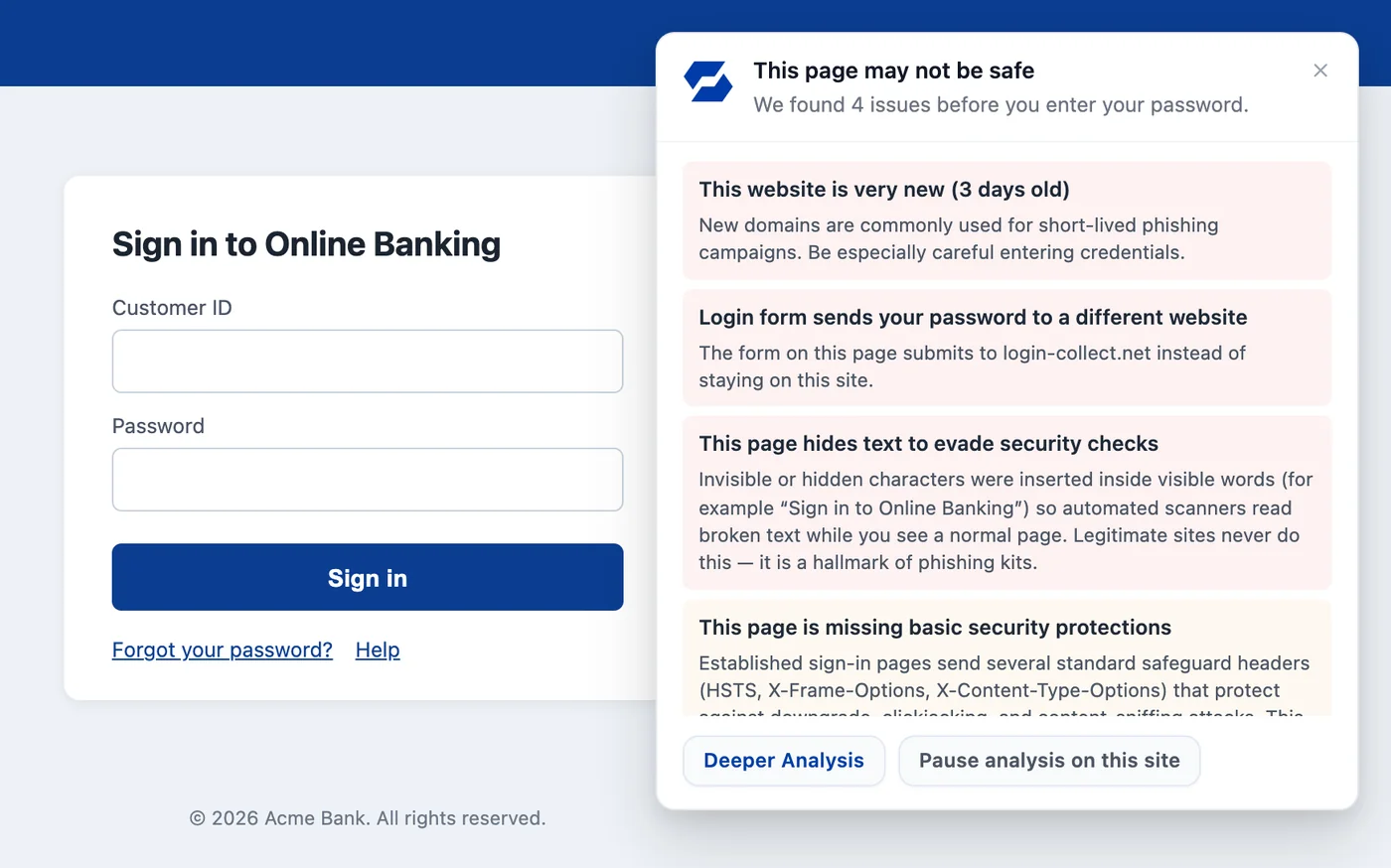
Cloned banking, payment and Microsoft 365 sign-ins are recognised from how the page looks, and the warning appears before a password is typed.
Card and account details
Paste Guard redacts card numbers on paste, on the device, and flags banking details and personal data before they are sent to a website or AI tool.
Fakes wearing your brand
Brand Protection finds lookalike domains and cloned sites from the referral URLs your own web server already logs, and alerts your team with the evidence.
Checked, not just claimed
Read more
Business email compromise, explained
How BEC attacks work and how to defend high-value targets.
Read it → Brand ProtectionBrand impersonation 101
Why scammers clone your brand, and how takedowns work.
Read it → BusinessPhishing by industry: who gets targeted
Finance, healthcare, legal, education, retail: what attackers want from each, and why costs vary.
Read it →Questions, answered
On Executive seats, when an email looks off, our AI can read it and tell you what kind of fraud it is, such as a fake CEO or a fake invoice. It only runs when you press “Run deeper analysis” and agree, and the email isn’t stored or used for training.
Yes. Defender and your email gateway block what is already known to be bad. SafeToOpen adds a check at the click, in the browser and the inbox, for the phishing that is too new to be on any list.
No. SafeToOpen never collects, stores or sells browsing data. It processes only the minimum needed to confirm a threat and deletes it after analysis.
For financial services
See it on a fake payment request
Tell us a little about your organisation and we’ll show you SafeToOpen in the browser and the inbox.
- We reply by email to find a time that suits you.
- We only use your details to reply to your request.
- Prefer to start on your own? Start a free trial →